
Micro SaaS business ideas get easier to judge when you start with a chore someone already repeats, not a feature you’d like to build. Here are six focused product concepts, each tied to a clear buyer and a small first version; Profitable Founder Podcast shares the same founder-first lens through weekly interviews with bootstrapped SaaS founders.
We analyzed 54 comments and questions from YouTube, Reddit and Quora about micro SaaS business ideas and found that 19% mentioned compliance and integration requirements.
1. Construction Quote Template: Build a faster quoting tool for small contractors
A Construction Quote Template is a small quoting app for general contractors, remodelers, and handymen. It’s best for a one-to-five-person crew that sends bids often and still edits a Word file after a long day on site.
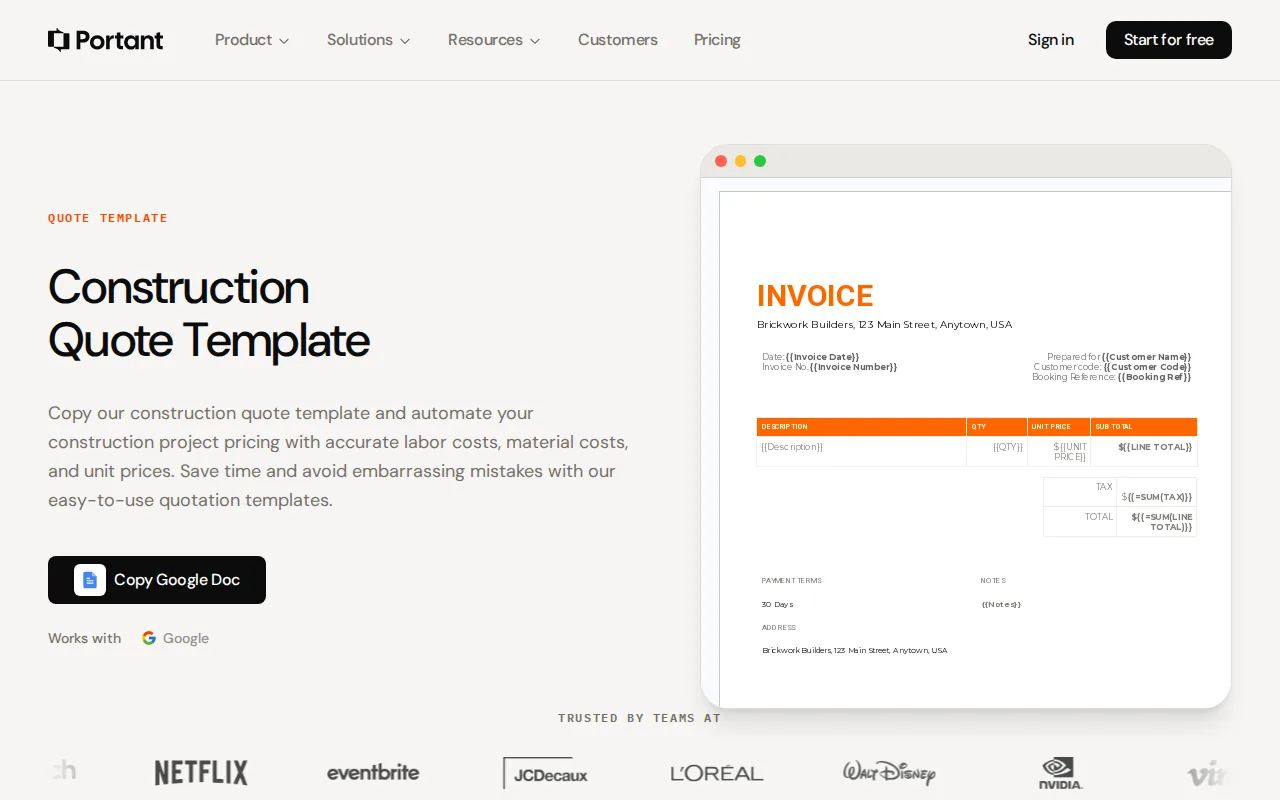
The first version can keep a saved catalog of labor and material items. A contractor builds a quote, sends it as a link, then collects a client signature and deposit on the same page. That’s a tight workflow. Don’t grow it into job management software before the quote itself works well.
Start with the parts that make a quote slow today: finding the right line items, changing quantities, and sending a clear version to the client. Ask contractors to show you their last few quotes. Watch where they pause, then build that step first.
A monthly subscription around $19 to $29, or a fee per quote for occasional bidders, is a sensible starting point to test. Keep the product narrow. General job-management tools already cover a wider set of work, so a simple, trade-aware quote flow is the wedge.
If you’re building alone, use this as a testable workflow rather than a promise to build a full contractor suite. The solo micro-SaaS build playbook can help you keep the first release small.
2. Profit and Loss Statement Generator: Simplify basic financial reporting
A Profit and Loss Statement Generator turns a small business owner’s numbers into a basic financial statement. It suits sole proprietors, freelancers, and micro businesses that need a P&L for a lender, landlord, grant request, or accountant.
For a first version, let a user upload a bank CSV or enter key figures by hand. Generate a clean statement, then let the user correct categories before exporting it. The product shouldn’t claim that every bank line is classified correctly. A CSV can contain unclear merchant names, refunds, and transfers that need a person’s judgment.
One model to test is $9 per statement or $12 a month. That choice matters because some buyers need the document once, while others prepare records on a schedule. Test both with the people who have recently been asked for a P&L.
Keep sensitive data handling in scope from day one. Collect only what the task needs, explain how records are stored, and give users a clear way to remove files. A narrow export tool can be easier to test than a full accounting app, but financial records still call for care.
For bootstrapped founders, this is a useful reminder: a small document job can be a product even when it doesn’t replace the larger system around it.
3. Payroll Template: Handle simple payroll records for very small teams
A Payroll Template helps an owner track hours and pay for a very small team. It’s aimed at businesses paying two to five people that need a simple record and an accountant-ready summary.
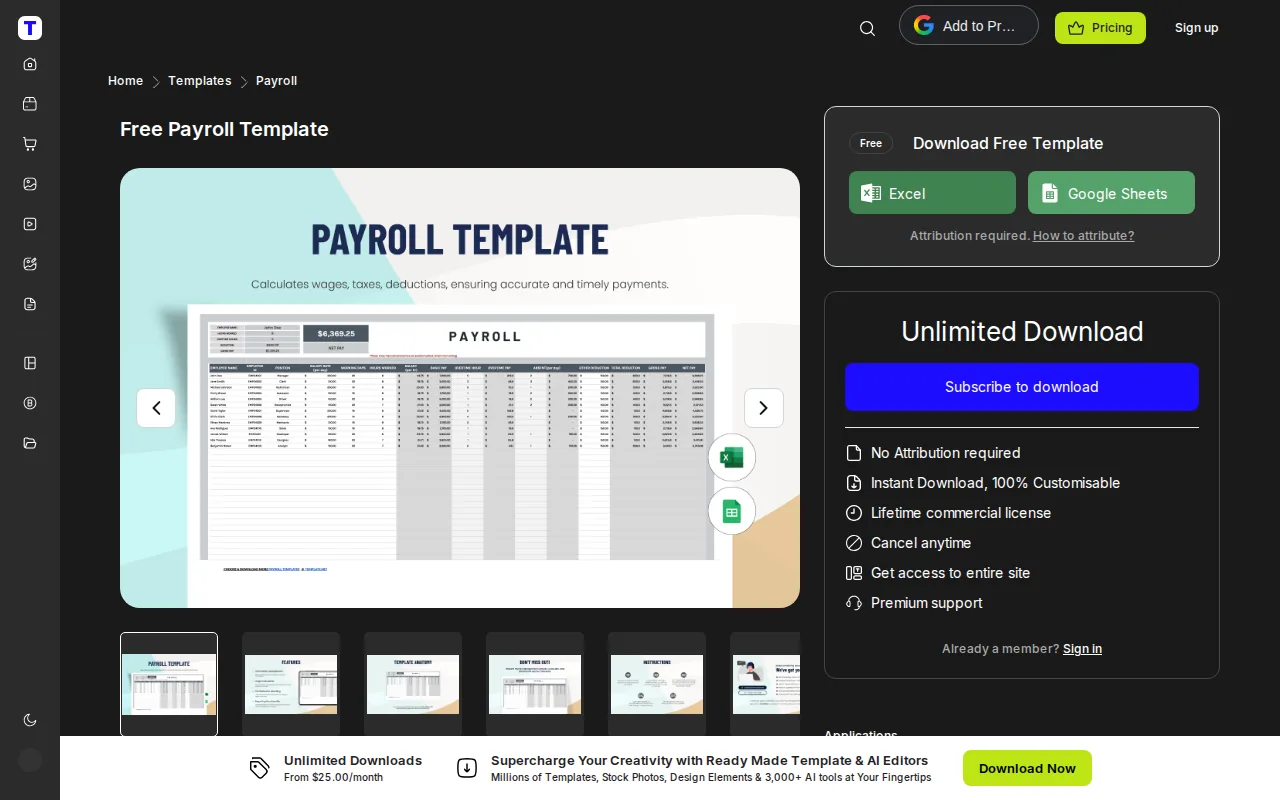
A focused version could take hours and rates, calculate gross pay, and prepare an export for the accountant. The product should be clear about what it does and where its role ends. Payroll rules can vary by state, so don’t promise accurate withholding across states without handling that complexity.
A flat $19 a month is one price to test. A simple monthly price is easy to explain to a tiny team, but don’t assume the tool can safely replace a payroll provider. Start by interviewing owners who currently work from a spreadsheet, then ask an accountant to review the output format.
U.S. employers have federal employment tax duties. Review applicable requirements, but this doesn’t replace state-specific research or professional advice.
Keep the first product to recordkeeping and export unless you’re prepared to build and maintain the tax logic that a wider payroll promise requires.
4. Purchase Order Template: Track supplier orders in one searchable place
A Purchase Order Template gives small businesses a way to issue and find supplier orders. It’s a fit for an office manager or owner who buys from several suppliers and needs more order than a folder of PDFs can provide.
The first product can number each order, save supplier details, capture line items, route an approval, and make a PDF. Keep a searchable list so the buyer can answer a basic question later: what did we order, from whom, and when?
That narrow scope matters. A small shop doesn’t need an enterprise purchasing suite just to make an order record. But it does need a reliable way to find the document when a shipment arrives short or a supplier asks for the order number.
A price of about $10 a month is a simple starting point to test. Before writing much code, ask a few office managers to walk through their current order process. Find out who approves a purchase and which fields must appear on the document.
Build around one buyer’s actual handoff. If approval is the slow part, make that clear in the first version. If finding past orders is the pain, put search and a clean archive first.
5. Shipping Label Maker: Serve small sellers with a lean fulfillment workflow
A Shipping Label Maker helps small online sellers move an order from sale to shipment. It’s meant for Etsy sellers, small ecommerce brands, and people selling through Instagram who want a short fulfillment flow.
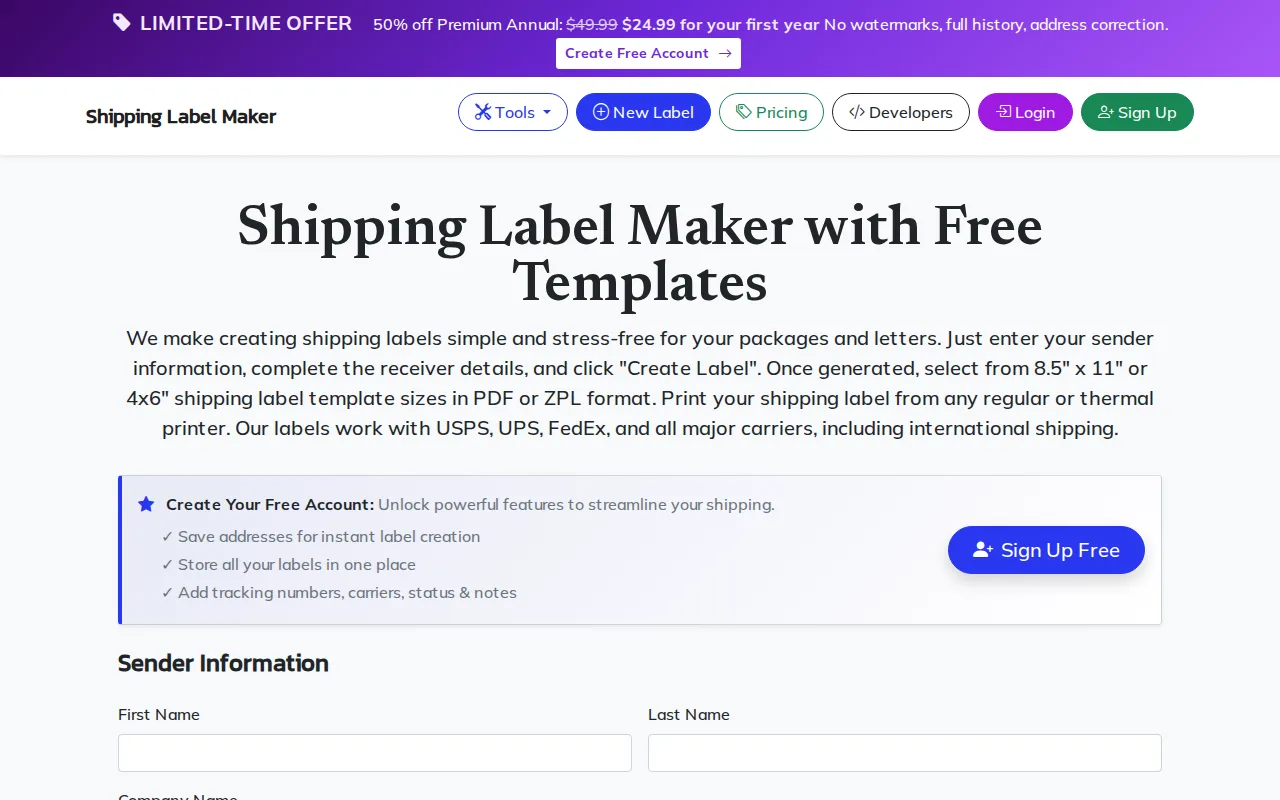
A lean first version could accept order details, make a packing slip and label, then store the tracking number. Pick one seller group to interview first. Their current process will show whether the costly pause happens while copying order details, printing, or updating the buyer.
Keep the screen focused on the next order. During a busy packing session, extra settings slow the operator down. A useful first test could be a manual service: take a sample order and show the seller the finished label and tracking record before automating every step.
One model to test is $8 a month or a free tier. Test which part users value enough to pay for, then set limits around that task. This niche also gives you clear content topics, such as a short packing demo or a guide to reducing manual order entry.
Don’t promise broad ecommerce integrations until sellers confirm which order source they use and what they need the tool to do.
6. Receipt Template: Make recordkeeping easier for cash-based businesses
A Receipt Template creates a numbered, dated receipt that a business can store and search later. It suits tutors, cleaners, market stalls, and contractors who still write receipts by hand after a cash or bank-transfer payment.
Keep the first version direct. Enter the buyer, amount, date, and reason for payment. Create the receipt, save a copy, and make it easy to find by date or number. The value is in the full record, not a fancy layout.
Talk with people who issue receipts every week. Ask what happens when a customer needs a copy, or when the owner has to match a payment to a job later. Those moments can help you decide whether the first release needs a customer lookup, a downloadable file, or just a searchable history.
A small recurring fee could work for businesses that issue receipts often. If a buyer only needs one document now and then, consider a one-time charge instead. Don’t choose the model based on what sounds most like SaaS; test what the buyer will pay for.
It’s a small workflow, but it has a clear finish: payment recorded, receipt sent, copy saved. That makes it easier to explain than a broad bookkeeping promise.
Compare these micro SaaS business ideas by buyer and first product wedge
These six concepts all start with a document or record, but they don’t share the same buyer or risk. Compare the daily workflow first. Then test whether the person who feels the pain can approve a paid tool.
| Idea | Likely first buyer | First product wedge | Early test |
|---|---|---|---|
| Construction quote | Small contractor | Quote, signature, and deposit flow | Review recent bids with contractors |
| P&L generator | Freelancer or sole proprietor | CSV or manual entry to statement | Test a sample statement with recent applicants |
| Payroll template | Owner paying a tiny team | Hours, gross pay, accountant export | Ask owners and accountants to review the output |
| Purchase order | Office manager or small business owner | Numbered order and searchable PDF | Watch one supplier order get approved |
| Shipping label maker | Small online seller | Order to label and tracking record | Run a sample order through the proposed flow |
| Receipt template | Cash-based business | Numbered receipt and searchable history | Ask for the last receipt a customer needed again |
To find your own micro SaaS business ideas, start with work you already understand. Look for a repeated task in your day job, client work, or a niche community. Ask what the person does now, how often the task comes up, and what goes wrong when it’s delayed.
Then test before you code. Market research can help you assess demand, market size, and competing options. For a fast founder test, speak with reachable buyers and ask for a paid pilot or prepayment, not just a thumbs-up.
For a first build, cap the work to one core workflow and one buyer type. Your spend will depend on your stack, so list the costs before launch: hosting, payment processing, email, any paid API, and support time. A week can be enough to test a prototype, but it doesn’t guarantee a finished product or paying customers.
Track monthly recurring revenue alongside cancellations and the cost to serve each account. Any revenue model is a model, not a forecast; customer acquisition and retention decide whether it holds.
Founder feedback can shorten the learning loop, especially when you’re deciding what to cut. Profitable Founder Podcast interviews bootstrapped SaaS founders about their operating choices. Its overview of SaaS mastermind programs can help you compare peer groups, while Join Profitable Founder Club connects paying customers with batches of 7 to 10 founders at their stage, one call a week for 12 weeks, a monthly live Q&A with Florian, and Discord. It costs $97 a year, with the price locked while you stay; paying customers are required.
Frequently Asked Questions About Micro SaaS Business Ideas
What is a micro SaaS business?
A micro SaaS business is a small software company focused on a narrow customer group and a specific recurring problem. One founder or a small team can run it with lower overhead than a broad software company. The aim is to earn recurring revenue by making one repeat task easier, rather than building a large platform for many kinds of buyers.
How do I find a micro SaaS idea worth building?
Start with a task you know well or can observe closely. Talk to people who do it and ask about their current workaround, how often it happens, and what a mistake costs them. Then offer a small paid pilot or pre-sell the first version. A payment is a stronger signal than praise, though it still doesn’t guarantee long-term demand.
Can I build a micro SaaS without coding?
Yes, you can test a product with low-code tools or a manual service before writing custom software. Keep the first version to one workflow and check that users will pay for the result. If a prototype depends on sensitive data or complex calculations, get technical and domain help before trusting it with customer work.
How should I price a micro SaaS product?
Match the price to how often the buyer uses the tool and the value of the task it handles. A recurring workflow may fit a monthly plan, while a one-time document need may fit a per-use fee. Test the price with buyers before adding tiers. Track revenue alongside payment costs, support time, and cancellations.
How long should a micro SaaS MVP take to build?
Build only enough to test the core workflow, not a full product suite. A prototype may come together in a short sprint, but integrations, data handling, and edge cases can take longer. Set a one-week test goal such as showing a buyer a working quote flow, then decide what to build next from their use and payment decisions.
Conclusion
Pick the idea closest to a workflow you can observe and a buyer you can reach. Interview five potential users this week, ask them to show you the current process, and try to secure one paid pilot before you commit to a larger build.